Manual fuel expense tracking requires collecting receipts, entering data into spreadsheets, properly coding transactions and reconciling amounts against bank statements. This process typically consumes hours each month and can be error-prone and frustrating. Fleet fuel cards are designed to automate expense tracking through digital transaction capture, eliminating manual workflows and improving accuracy.
Businesses can generate reports based on specific vehicles, date ranges, locations or transaction types.
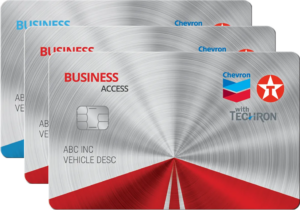
Automated expense tracking and detailed reporting work together when you use a Chevron and Texaco Business Card. Capture comprehensive transaction data and generate audit-ready reports without manual intervention. Apply today.
Automated Transaction Data Capture
Manual expense tracking relies on physical receipts collected by drivers and expense reports processed by accounting. Manual data entry wastes time and can create incomplete or inaccurate records.
Fleet cards can help automate this workflow through digital transaction capture. Every fuel purchase generates detailed records, including dates, amounts, locations, fuel types, quantities, prices and vehicle assignments. This data flows automatically into reporting systems, eliminating manual data entry and receipt management.
Transaction-Level Details
Fleet cards typically capture more detail than credit cards. Beyond basic amounts and dates, fleet fuel cards record fuel grades, gallon quantities, per-gallon prices, odometer readings, driver identifications and merchant locations. This data helps support detailed expense analysis and audit documentation.
Real-time data capture occurs immediately at the point of purchase. Transactions appear in management systems within minutes rather than waiting for a monthly statement. This visibility often helps managers monitor spending continuously rather than discovering problems during monthly reconciliation.
Digital Receipt Generation
Digital transaction records serve as permanent receipts. These electronic records remain accessible for years, without the need for physical storage or the degradation risks of paper receipts.
PDF statement generation provides printable documentation when physical copies are needed for audits or internal reviews. The print-on-demand approach typically allows fresh copies to be created years after transactions without maintaining archived paper files.
Consolidated Monthly Reporting
Multiple payment methods create reporting challenges. Credit cards generate separate statements. Cash purchases require manual logs. Reconciling these scattered records into unified expense reports consumes significant accounting time while introducing opportunities for error.
Fleet cards can help consolidate all fuel purchases into a single monthly statement. Every vehicle refueling appears together with consistent formatting and organization. This consolidation helps reduce reporting time and improve data consistency.
Statement Organization
Fleet cards organize transactions in multiple ways to serve different business needs. Chronological ordering shows spending timelines. Vehicle-based grouping displays per-vehicle costs. Driver organization reveals individual consumption patterns.
Summary sections provide high-level expense totals, including monthly spending, gallon consumption, average per-gallon prices, and year-to-date comparisons. These summaries help managers quickly assess whether current spending aligns with budgets and historical patterns without analyzing individual transactions.
Custom Report Generation
Advanced reporting systems allow for the creation of custom reports by filtering and organizing data according to specific criteria. Businesses can generate reports based on specific vehicles, date ranges, locations or transaction types. This customization typically helps extract the needed information without manual data manipulation.
Scheduled reports automate regular reporting needs. Systems can automatically generate and email weekly summaries, monthly department reports, or quarterly executive briefings. This automation can help ensure consistent reporting without requiring manual effort.
Accounting System Integration
Manual data transfer from fuel statements to accounting systems creates double-entry burdens and risks of transcription errors.
A fleet card, such as the Business Access Flex Card, typically offers data export capabilities compatible with popular accounting platforms. Automation helps eliminate manual entry, improving accuracy.
Direct Accounting Platform Integration
API connections enable real-time data synchronization between fleet card systems and accounting software. Transactions appear in accounting platforms shortly after occurring without manual exports or imports. This automation typically helps ensure accounting systems contain current data.
Transaction categorization happens automatically through merchant codes and card system processing. Fuel purchases are properly classified as expenses without manual coding. This consistency helps improve financial reporting accuracy while reducing the accounting department workload.
Tax Documentation and IRS Compliance
Tax deductions require documentation meeting IRS requirements, including dates, amounts, locations and business purposes. Manual recordkeeping systems often prove incomplete when audits occur years after expenses. Fleet cards can help capture required details automatically through transaction processing.
Comprehensive digital records typically satisfy IRS documentation standards without the need for supplemental manual logs. Automated capture helps ensure complete records exist for all fuel expenses, supporting deduction claims during tax preparation or audit proceedings.
Mileage and Fuel Consumption Records
Combining fuel purchase data with mileage information helps support business-use deductions. Some card systems capture odometer readings at pumps, providing automatic mileage documentation. This integration can help create comprehensive vehicle-use records supporting tax deduction claims.
Simplified Audit Preparation
Audit requests require documentation for selected transactions, potentially from years earlier. Businesses relying on paper receipts and manual logs often struggle to locate specific records in archived files. The search process wastes time while incomplete documentation creates audit problems.
Digital fleet card systems typically allow instant access to historical transactions. Searching by date, vehicle, amount or location helps identify requested transactions immediately. This responsiveness often helps audits proceed smoothly while demonstrating organized recordkeeping practices.
Mobile access to transaction data can help provide on-demand expense visibility regardless of a manager’s location or time of day.
Rapid Documentation Retrieval
Audit document requests specify particular transactions or time periods requiring detailed records. Digital systems typically support searching transactions by multiple criteria, finding requested records within seconds. This capability can help businesses respond to audit inquiries promptly without extensive manual searches through files.
Exception and Variance Reporting
Manual expense review requires reading every transaction and identifying unusual items. This process consumes hours while increasing the risk of missing important exceptions among routine purchases. Automated exception reporting can help highlight unusual transactions requiring attention.
Systems configured with appropriate thresholds automatically flag transactions exceeding limits, occurring in unexpected locations, or deviating from normal patterns. These alerts typically focus management attention on actual problems rather than on routine transactions.
Mobile Expense Monitoring

Fleet expense management doesn’t stop when managers leave the office. Questions arise during travel, evenings or weekends. Mobile access to transaction data can help provide on-demand expense visibility regardless of a manager’s location or time of day.
Fleet card mobile apps typically offer comprehensive transaction review functionality. Checking recent purchases, reviewing monthly totals, and searching historical records can all be done on smartphones.
Real-Time Transaction Visibility
Mobile apps display transactions within minutes of occurrence. Managers can review purchases immediately rather than waiting for daily reports. This real-time access often helps identify and address problems promptly.
Push notifications for high-value transactions or policy violations deliver immediate awareness. Managers receive alerts, enabling rapid responses rather than discovering problems during weekly report reviews.
Expense Categorization and Coding
Proper expense categorization affects financial reporting accuracy and tax treatment. Manual categorization is tedious and error-prone. Different staff may code identical transactions inconsistently, creating reporting problems.
Automated categorization through merchant codes and transaction types can help ensure consistent expense classification. This consistency typically improves financial statement accuracy while reducing accounting workload.
A Better Way to Track and Audit Fuel Use
Expense tracking and audit preparation become simpler through automated transaction capture and comprehensive reporting. Chevron and Texaco fleet cards are designed to help simplify accounting processes across your fuel expense management operation.
Applying for a Chevron and Texaco fleet card is the first step toward eliminating manual data entry and providing audit-ready documentation.